Why mapping your event operations matters first
Taking the time to map your current event operations prevents you from purchasing hardware that does not fit your physical environment. Before you look at specific Radio Frequency Identification (RFID) or Near Field Communication (NFC) products, you need a clear picture of how your attendees already move, pay, and interact. This documentation process highlights operational realities like limited network coverage, physical queue constraints, and staff training requirements that dictate your technical needs. When you understand your baseline constraints clearly, you can approach your implementation methodically and choose technology that solves real problems.
Documenting your current ticketing and entry flows
Breaking down the initial stages of your event experience helps you see exactly how attendees enter and navigate your venue. You need to review every step a guest takes from the moment they arrive at the gate until they reach their final destination inside. This objective review reveals your existing infrastructure and shows exactly where a token system could replace or supplement your current steps. Looking closely at your entry flow ensures you understand the physical and digital handover points that any new technology must accommodate.
Mapping the attendee journey
You start this process by walking through the exact path your attendees take when they approach your venue. This means tracking how people arrive, where they stand to scan a ticket, and how long they wait in line during peak hours. Documenting these physical movements shows you the natural choke points in your floor plan where crowds gather. When you record these physical realities first, you establish a baseline for how fast your entry gates need to process guests.
Identifying existing hardware
Your next step involves cataloging the physical equipment your staff currently use to scan tickets and manage access. You must record the types of handheld scanners, turnstiles, and network routers that make up your current gate infrastructure. Understanding your current equipment helps you determine if you can integrate new RFID readers with your legacy systems or if you need a complete hardware replacement. This physical inventory prevents you from buying new token readers that cannot connect to your existing power supplies or network drops.
Tracking data handoffs
After you look at the physical hardware, you need to map how information flows from a scanned ticket into your central database. You should trace the exact path a ticket record takes when a guest scans in, noting any delays in how quickly that scan registers in your system. Identifying these digital touchpoints shows you how your current setup handles offline moments or high volumes of simultaneous scans. By understanding how your data moves today, you can evaluate whether a new NFC system will require a more robust network architecture.
Steps to audit your payment and transaction touchpoints
Following a chronological process for auditing how money moves during your event ensures you never overlook a payment station during planning. You must track every location where an attendee exchanges cash or uses a credit card to purchase food, drinks, or merchandise. Documenting these financial interactions gives you a concrete view of your transaction volume and network dependencies across the venue. This clear evaluation method builds confidence in your internal audit without requiring you to hire external consultants.
- Locate all point of sale terminals: You need to physically walk your venue and record every single location where a transaction takes place. This includes permanent concession stands, temporary merchandise tents, and roaming vendors who sell items in the crowd. Documenting each location helps you understand the scale of your payment network and the physical distance between your sales points. This map directly informs how many token scanning devices you will need to purchase and deploy.
- Measure network connectivity at each station: Once you locate your payment terminals, you must test the reliability of your internet connection at every single stand. You should record whether a station uses a hardwired connection, local wireless internet, or cellular data to process transactions. Knowing your network strength at each location highlights the areas that might struggle to sync payment data in real time. This information proves critical when you decide if your token system needs offline capabilities.
- Calculate peak transaction times: Your team must review past sales data to pinpoint the exact hours when your vendors process the highest volume of orders. You need to know how many transactions occur per minute during the halftime rush or immediately after a main performance ends. Tracking these peak times shows you the stress your current system handles and sets the performance benchmark for any new technology. A new RFID payment system must process transactions faster than your current baseline to justify the investment.
Identifying where a token system adds value
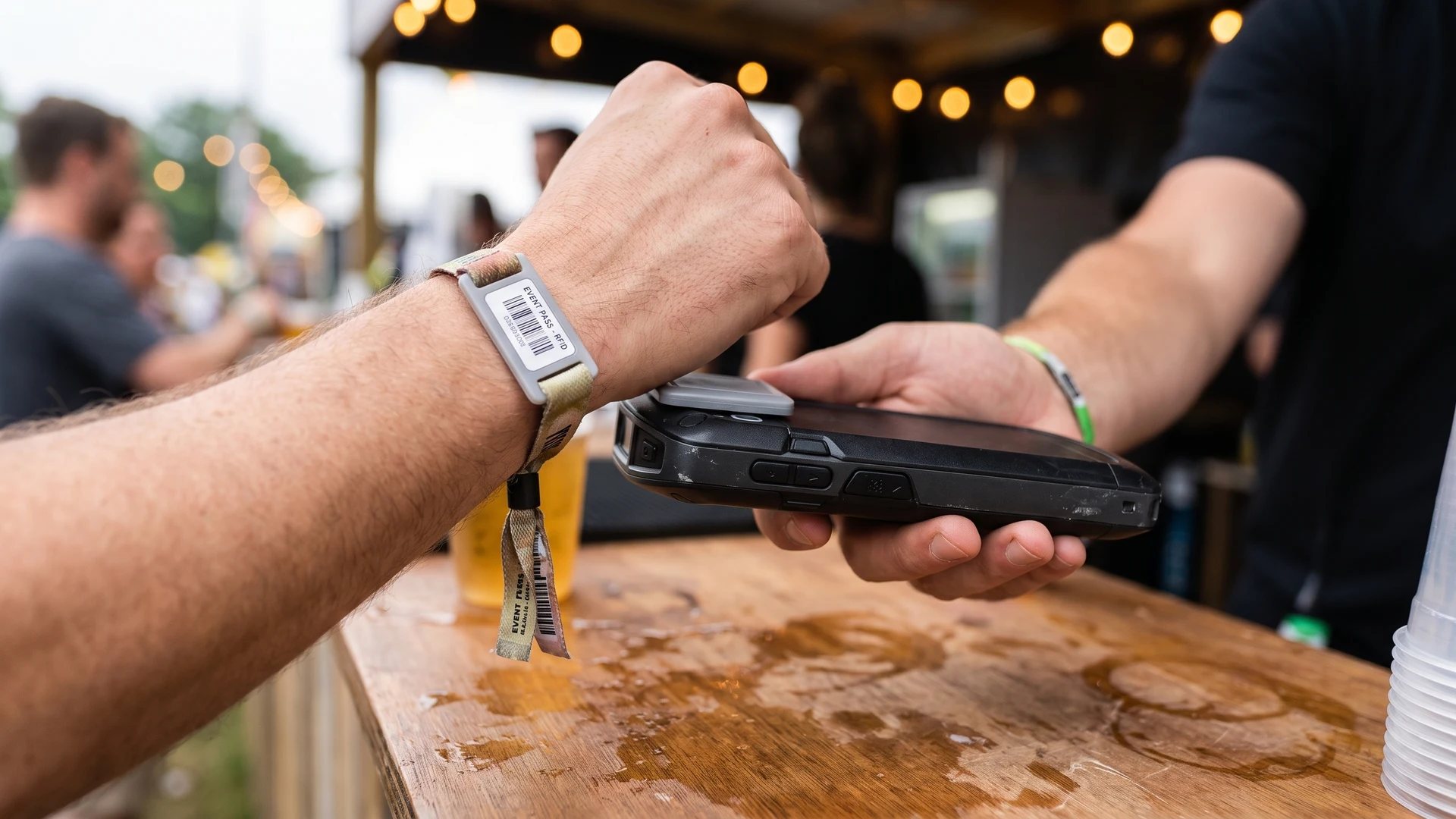
Analyzing your mapped operational flows allows you to spot genuine opportunities for efficiency across your venue. You can pinpoint exact locations in your layout where deploying an RFID wristband or NFC card will solve real problems like slow queues or dropped internet connections. For example, replacing cash transactions with a simple tap at a high-volume bar significantly reduces the time each guest spends waiting for a drink. Focusing on these concrete use cases helps you maintain an objective view rather than pushing for unnecessary hardware adoption.
A token system also provides substantial value in areas where you need to manage access control for specific zones. When you map your VIP areas or restricted staff zones, you often find that physical checks slow down movement and frustrate attendees. Introducing a digital token allows your security team to verify permissions instantly, which improves the flow of foot traffic and reduces manual errors. By matching the technology to specific pain points you identified in your audit, you ensure the system serves a practical purpose.
Spotting areas where tokens might introduce friction
While token systems offer clear benefits, you must also recognize the technical constraints that can disrupt your operations during high-density events. When your local network goes offline, handheld scanners cannot communicate with your central database, which leads to data desynchronization and potential double-spending. Furthermore, relying on cloud-dependent verification causes severe network latency, where a delay of just 500 milliseconds per scan can create massive bottlenecks at your entry gates. Understanding these limitations early allows you to plan fallbacks, such as using edge computing to process scans locally or storing balances directly on the chip to handle offline transactions.
The physical environment of a crowded venue also introduces significant hardware challenges for passive tags. High Frequency (HF) signals are heavily absorbed and detuned by water, meaning that tightly packed crowds act as a massive radio frequency sponge that reduces your effective read range. In these dense environments, adjacent readers can interfere with each other if their fields overlap, leading to dropped packets and sluggish response times at peak hours. By objectively assessing these environmental barriers, your implementation team can design a resilient layout that mitigates signal collision and maintains steady throughput.
Engaging stakeholders across your event team
Rolling out a new event technology requires you to collaborate closely with the human elements that run your operations. You need to gather specific constraints from different departments to ensure your token system plan supports how your teams already work. Establishing a clear framework for this communication helps you build consensus before you start deploying new hardware. Taking the time to address the needs of non-technical teams ensures a smoother transition on the day of your event.
Aligning with finance and security
Your finance department needs to understand exactly how the new system will track revenue and reconcile funds at the end of the night. You must work with them to ensure the digital logs match their existing accounting practices and tax reporting requirements. At the same time, your security personnel require clear protocols for handling lost wristbands or dealing with access denials at the gates. Aligning these two critical departments early prevents major operational crises when you open your doors.
Training frontline staff
The success of your technical deployment relies entirely on the staff who operate the scanners and interact with your attendees. You must design training programs that teach your ticket takers and bartenders how to handle scanning errors and process transactions smoothly. This training should include hands-on practice with the actual hardware so your team builds muscle memory before the crowds arrive. When your frontline workers feel confident using the tools, they can troubleshoot minor issues without calling for technical support.
Managing attendee expectations
You also need to communicate clearly with your guests about how the new digital access system will change their experience. Providing clear instructions on how to link a ticket to a wristband or top up a digital balance reduces confusion at the gate. You should send this educational material well before the event dates so attendees arrive prepared to use the new technology. Setting these expectations proactively minimizes frustration and speeds up the overall entry process.
Phasing your implementation sequence
Outlining a logical order for rolling out your new token system minimizes operational disruption during the transition from legacy workflows. You need a chronological roadmap that allows you to test the technology safely without putting your entire event at risk. Providing concrete steps helps your project leads run effective planning meetings and coordinate with various department heads. A phased approach ensures your team can integrate the new tools smoothly while maintaining a reliable backup system.
- Run a limited pilot test: You should start your deployment by introducing the token system to a single, controlled area like a VIP lounge or a dedicated fast-track entry lane. This limited scope allows you to monitor how the hardware performs under real conditions without risking your main admission gates. Your team can observe the physical flow of guests and measure the actual transaction speeds against your baseline data. Completing a successful pilot gives you the hard data needed to refine your approach before a venue-wide rollout.
- Deploy secondary infrastructure: After a successful pilot, you need to install the necessary networking equipment and backup power supplies across your remaining zones. You must ensure your offline mesh networks and local servers are fully operational before you hand out scanners to your staff. Setting up this underlying architecture first prevents the system from crashing when thousands of guests arrive simultaneously. This step secures your data synchronization paths and protects your revenue streams against sudden internet outages.
- Execute a dual-system overlap: During your first full deployment, you should keep your legacy ticketing or payment methods active alongside the new token system. This parallel operation provides an immediate fallback if a scanning gate fails or a guest struggles to use their digital wristband. Your staff can seamlessly switch to processing paper tickets or cash while your technical team resolves the hardware issue. Once you prove the new system runs reliably at full capacity, you can confidently phase out the old infrastructure.
Moving from planning to technical evaluation
Wrapping up your operational map closes the loop on your initial audit and opens the door to evaluating specific technical requirements. Now that you understand your physical constraints, network limitations, and departmental needs, you know exactly what specifications to look for in a vendor. You can confidently use the educational resources at RFID & NFC to compare different chip standards, encryption methods, and hardware form factors. This thorough preparation leaves you ready to select a solution that perfectly matches your venue rather than guessing at your requirements.
What is the fastest way to map my current ticketing, entry, and payment flows?
Start by listing every touchpoint from purchase to exit, then sketch a swimlane diagram, which is a flow chart with one lane per role or system. Capture systems used, handoffs, and wait points. Time each step during a shift. Mark where tokens would replace cash, speed gates, or simplify reconciliation.
Where do tokens typically add friction at events?
Friction appears during network drops, in dense crowds, and at handoffs. With radio frequency identification, or RFID, offline readers can show stale balances and packed gates slow taps. Run a tabletop walk through and a no network drill, then test high density reads. Watch for queue spikes and repeated misreads.
How do I plan for network outages without stalling gates or vendors?
Plan for work to continue without internet by preloading a whitelist, a list of valid tickets, onto all RFID readers at the gate. Keep balances on-chip, meaning stored on wristband, and use store and forward so devices log transactions locally and sync later. Test reconciliation after outages during your pilot.
What should I measure at entry to size lanes and place RFID readers?
Track taps per minute per lane, average tap time, first-tap success rate, and reasons for rejects. Measure at peak windows, then size lanes to meet target rate with buffer. Place radio frequency identification reader where wrists are guided, avoid crowding that blocks signals, and preload attendee lists to cut delay.
How do I document stakeholders and constraints so the token plan fits existing workflows?
List the owner and backup for each touchpoint across ticketing, entry, payments, refunds, and settlement. Record who is responsible, accountable, consulted, and informed for changes. Note approval gates, change windows, device inventory, coverage maps, and vendor contract limits. Keep a decision log so the plan aligns with how work happens.